
Chapter 2 of 6
Find the disk behind the name
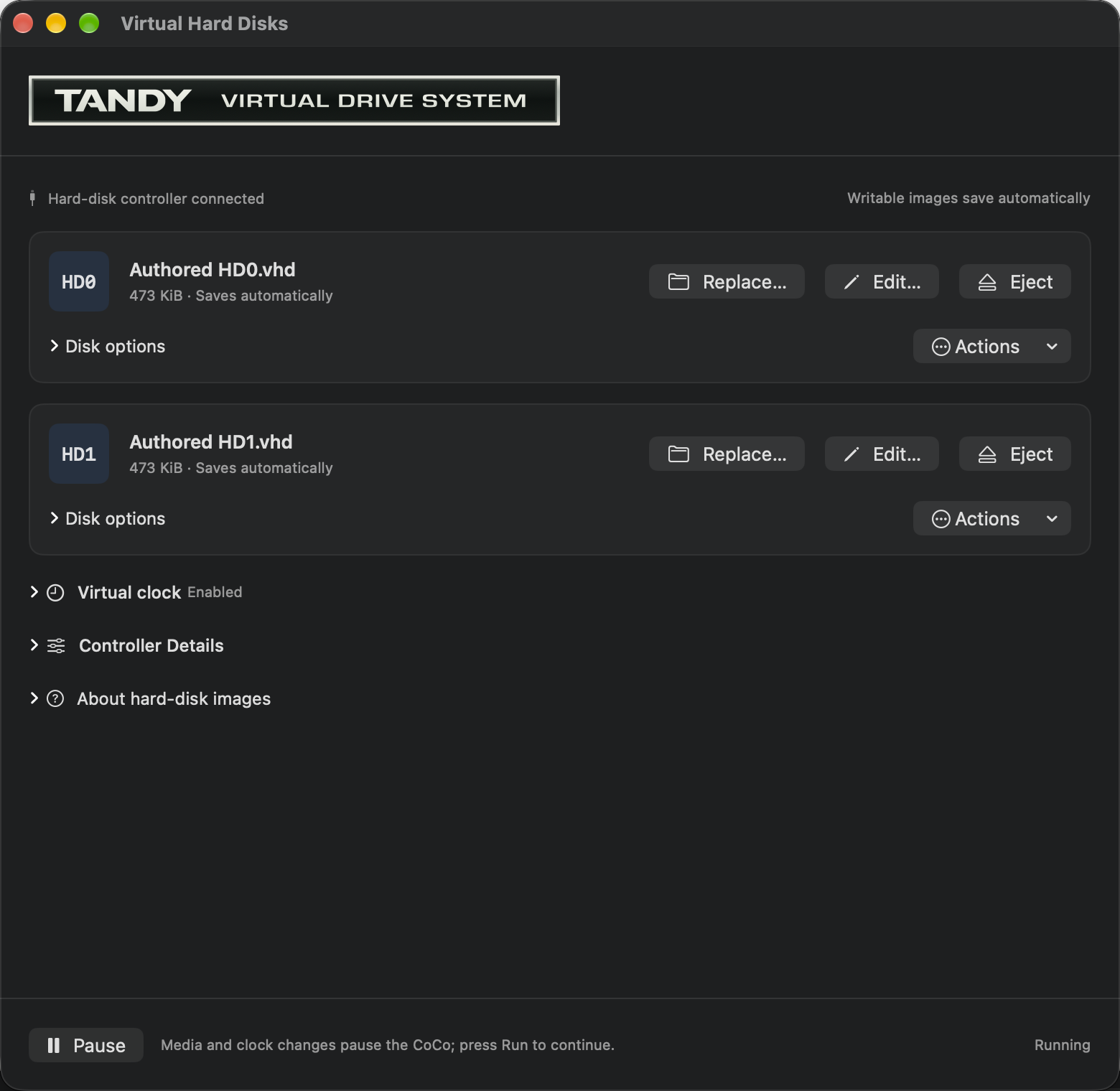
The prompt ends in /DD:. In the Mac’s Virtual Hard Disks window, the drives are called HD0 and HD1. Why do the names disagree? Each belongs to a different layer of your computer. The Mac attaches an image file to a drive; OS-9 gives a name to the filesystem it opens there.
Ask three names for their directories
Click the CoCo display. At the ready shell prompt, enter these commands separately, pressing Return after each one:
dir /dd
dir /h0
dir /h1
In the supplied profile, /dd and /h0 show the same system directory. Look for names such as CMDS, GAMES and SOURCES. /h1 opens the data filesystem on the second hard disk. On fresh practice media, its heading is followed by the next prompt: there are no files there yet.
| Name | In this profile |
|---|---|
| HD0, in the Mac controls | The image containing the prepared NitrOS-9 system |
| /dd and /h0, in the shell | Two device names reaching that system filesystem |
| HD1, in the Mac controls | The working data image |
| /h1, in the shell | The OS-9 filesystem in the working data image |
Keep the in this profile qualification. Device names belong to a configured OS-9 system. Another boot disk can use a different arrangement.
If /h1 already contains files, keep them. You may have opened your existing working media instead of a new practice copy. The log lesson needs one unused directory name. It does not need an empty hard disk.
Read a path from left to right
Here is the destination you will create in the next chapter:
/h1/mission/captains.log| Part | Job |
|---|---|
| The first / | Start with a device name, rather than the current directory |
| h1 | Choose the data filesystem |
| mission | Enter a directory on it |
| captains.log | Name a file in that directory |
The slashes separate the steps. This is an absolute path: it gives the route from the device to the file. In historical OS-9 documentation, you will also see the word pathlist.
A shorter name such as captains.log is relative to your current data directory. It becomes useful after you have moved into mission. That will save typing, but it also makes your current location important. A perfectly good filename can produce an error when you ask for it in the wrong place.
OS-9 file lookup here ignores letter case. The prompt may show /H1 while you type /h1. Those names reach the same device. Text stored inside a file keeps its own case; beacon in sight will stay lowercase.
Keep BASIC and OS-9 files apart
The working data image supplied with the system profiles contains separate space for OS-9 files and RGB-DOS BASIC volumes. That explains something that can look alarming on a first visit: /h1 can be empty even though you remember a HELLO program on that image.
HELLO belongs to the BASIC part. An OS-9 directory lists the OS-9 part. Neither listing is a catalog of every byte in the Mac image file.
The default floppy is also a BASIC disk. Attaching it to FD0 does not turn it into an OS-9 filesystem. Keep it as it is. This book uses the already prepared hard disks, so no formatting is required. Software, Storage, and Peripherals follows the same working image from the BASIC side.
The Mac's Disk Image Editor can browse supported raw OS-9 and Disk BASIC filesystems without booting them. Choose Edit… beside HD0 or HD1 in Virtual Hard Disks…. The mounted machine pauses and stays locked while the editor is open; applying edits requires a restart. In an image shared by OS-9 and HDB-DOS, the volume selection distinguishes the OS-9 filesystem from its numbered BASIC disks. Selecting one does not show the files in the others, and the editor's volume names do not replace guest names such as /h1. A numbered BASIC disk that overlaps declared OS-9 boot data is protected and omitted from the editable choices. For these lessons, continue with the guest commands below; follow the native editor guide when you want to inspect a working copy from the Mac.
Give commands their own home
OS-9 keeps a current data directory for your files and a current execution directory for finding commands. The prepared system puts its commands in CMDS. Moving your data directory to /h1/mission will let you use a short log filename while still running commands such as dir and list.
Think of the data directory as your desk and the execution directory as the tool cupboard. You can move your papers to a different desk without carrying the cupboard along. We will change only the data directory in this lesson.
The next chapter turns those names into something worth finding again: your first captain’s log.