
Write.
Start with a numbered BASIC listing, a C project, or an assembly source file. Use native editing controls, examples and the language references. Your Mac source stays separate from the program currently in guest memory.
Virtual Color Computer · Plus a whole workbench
VCC stands for Virtual Color Computer. VCC Plus brings the Color Computer 3 to your Mac with an integrated development environment for BASIC, C and assembly—and an optional AI vibe coding environment that can help you write, run and investigate real CoCo programs.
Native Mac app · macOS 14+ · Apple Silicon & Intel
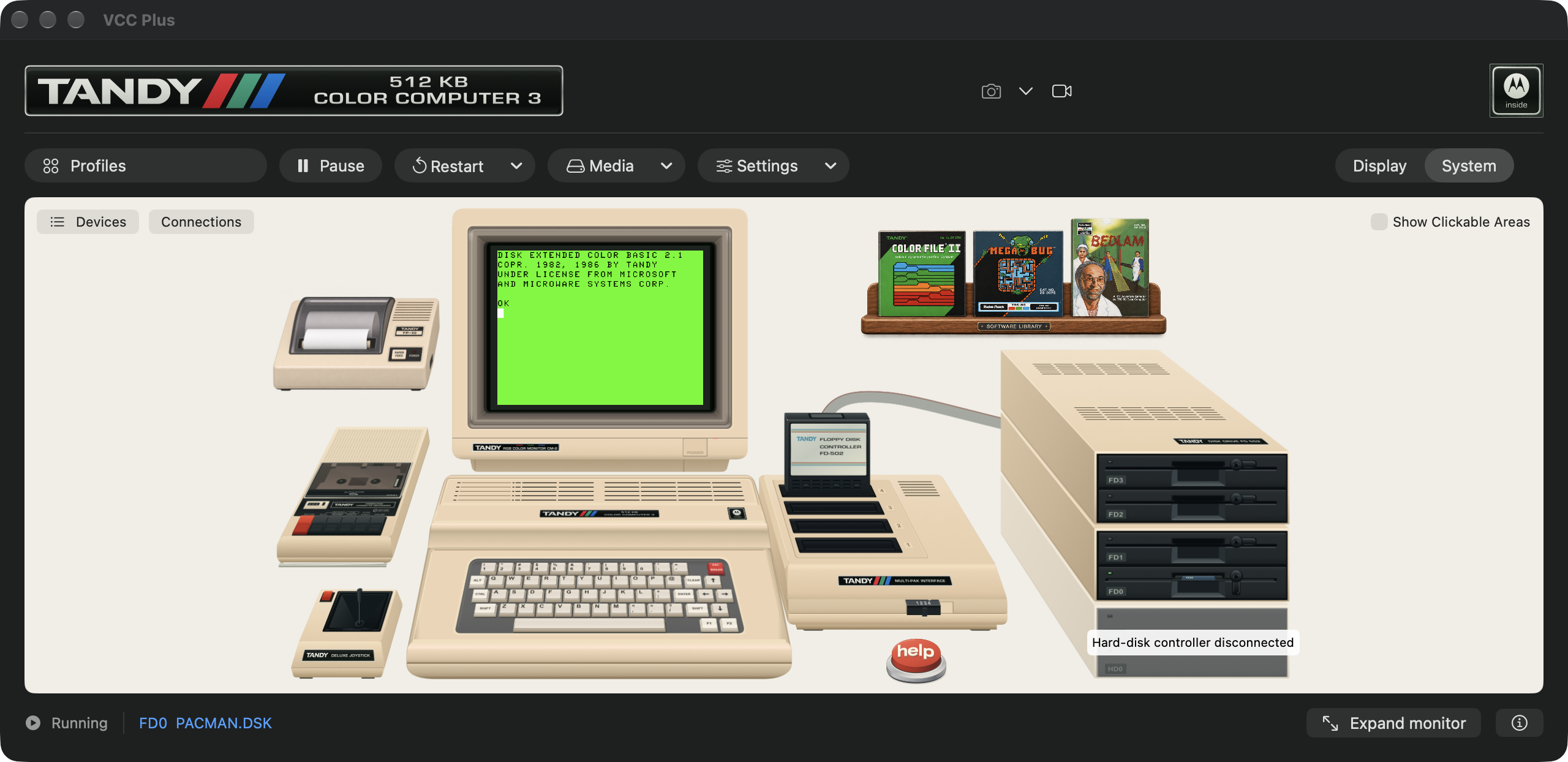
The Software Library / Built into VCC Plus
A modern app-store experience for the Color Computer. Thousands of titles, ready to explore from your Mac.
Return to a favorite game or program from your past. Discover a recent creation made with modern tools, or an old classic you missed the first time around.
Made possible by the outstanding preservation work of Color Computer Archive. VCC Plus brings its software collection into the app, with source credits and original instructions close at hand.
Browse by cover, title, author or category. Choose an edition, read its instructions, then install or preview its setup with Download & Play.
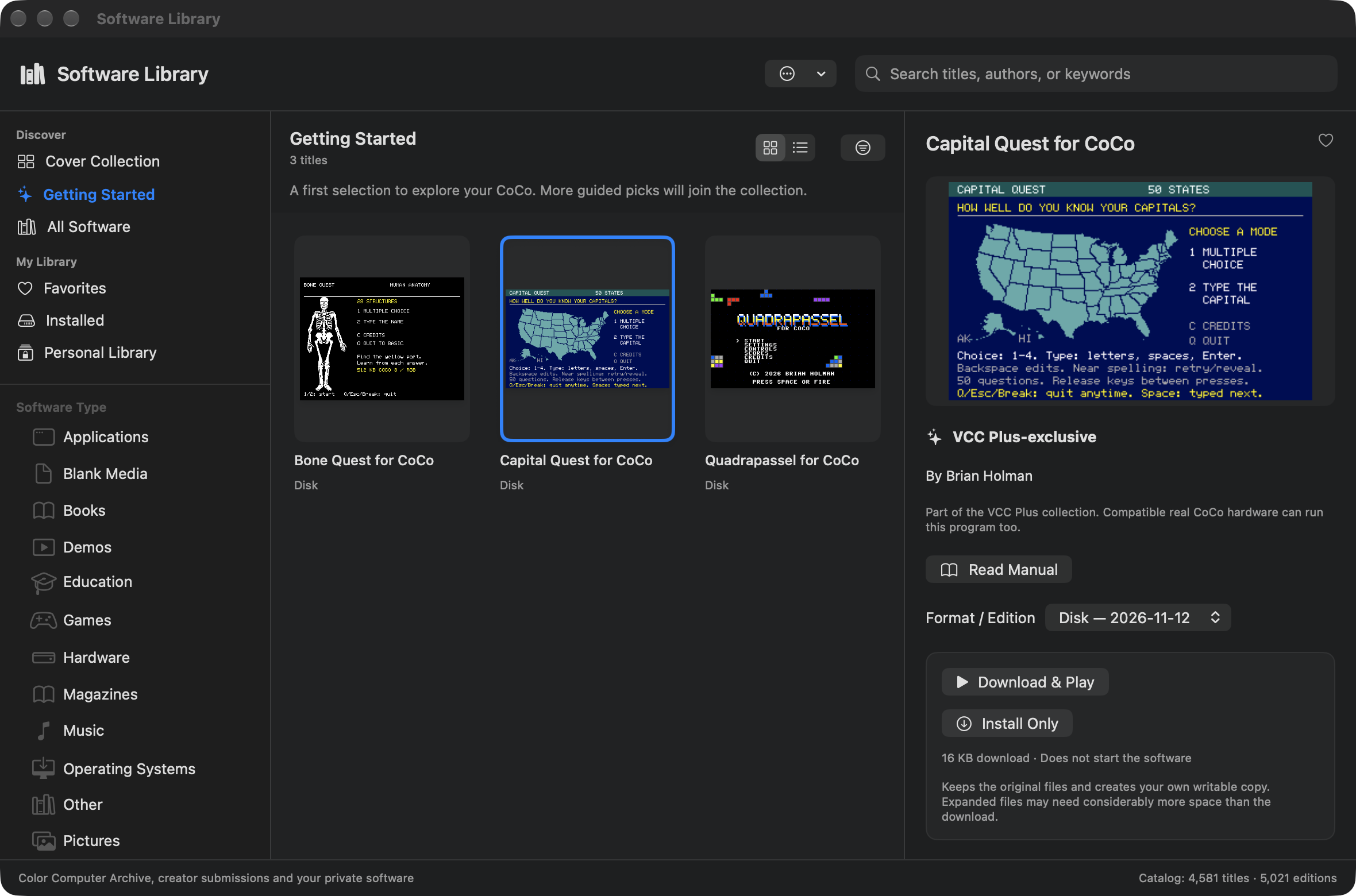
One idea. Three ways to express it.
The editor, build tools, debugger, machine and reference library belong to the same environment. Follow an idea through each stage without assembling a separate collection of retro development utilities.
Start with a numbered BASIC listing, a C project, or an assembly source file. Use native editing controls, examples and the language references. Your Mac source stays separate from the program currently in guest memory.
Load BASIC or build machine code, start it on the emulated CoCo, and pause where the question begins. Inspect the appropriate language variables, CPU registers, memory, graphics or execution trace.
Change one thing and try again. Work independently or invite ChatGPT into the selected project. Preserve useful source, build evidence, disk files and test observations as the program grows.
The product guide
These guides explain the actual workflows, controls and boundaries of VCC Plus. Read them in order for the full tour, or go directly to the work you want to do.
Meet every piece of the illustrated desk. Connect a real monitor, controller, drive, recorder and joystick to its virtual counterpart.
02 / BASIC DevelopmentWrite numbered source, bring a listing out of the CoCo, renumber it, stop at a statement, inspect variables and export a disk or tape.
03 / C DevelopmentWork across source files, headers, libraries and resources. Build with CMOC and Make, launch a disk and debug functions and their variables.
04 / Assembly DevelopmentChoose MC6809 or HD6309, assemble and link, follow source stops, and turn your program into a portable binary or disk.
05 / Inspect and understandMove between source, registers, disassembly, logical and physical memory, MMU mappings, graphics previews and bounded instruction traces.
06 / AI vibe codingConnect a particular document or project to ChatGPT for Mac. Review edits, use the manuals and test supported C builds in a separate disposable CoCo.
07 / Disks, media and profilesEdit Disk BASIC and OS-9 images, import and export files, keep working copies, save configurations and exchange a disk copy with real hardware.
08 / Software, reference and discoveryDiscover software preserved by Color Computer Archive, prepare a title to play, search the books and historical publications, and open reviewed examples.
A modern collaborator at a small computer
A chat about a program becomes more useful when it can read the source you meant, see the compiler’s diagnostic, and inspect the result of a real run.
VCC Plus provides scoped connections for BASIC, C and assembly. The supported C playtest workflow can use an isolated guest, real framebuffer captures, verified debugger stops and retained test disks. You can ask for evidence of what happened and keep improving the program together.
Explore the AI coding workflow →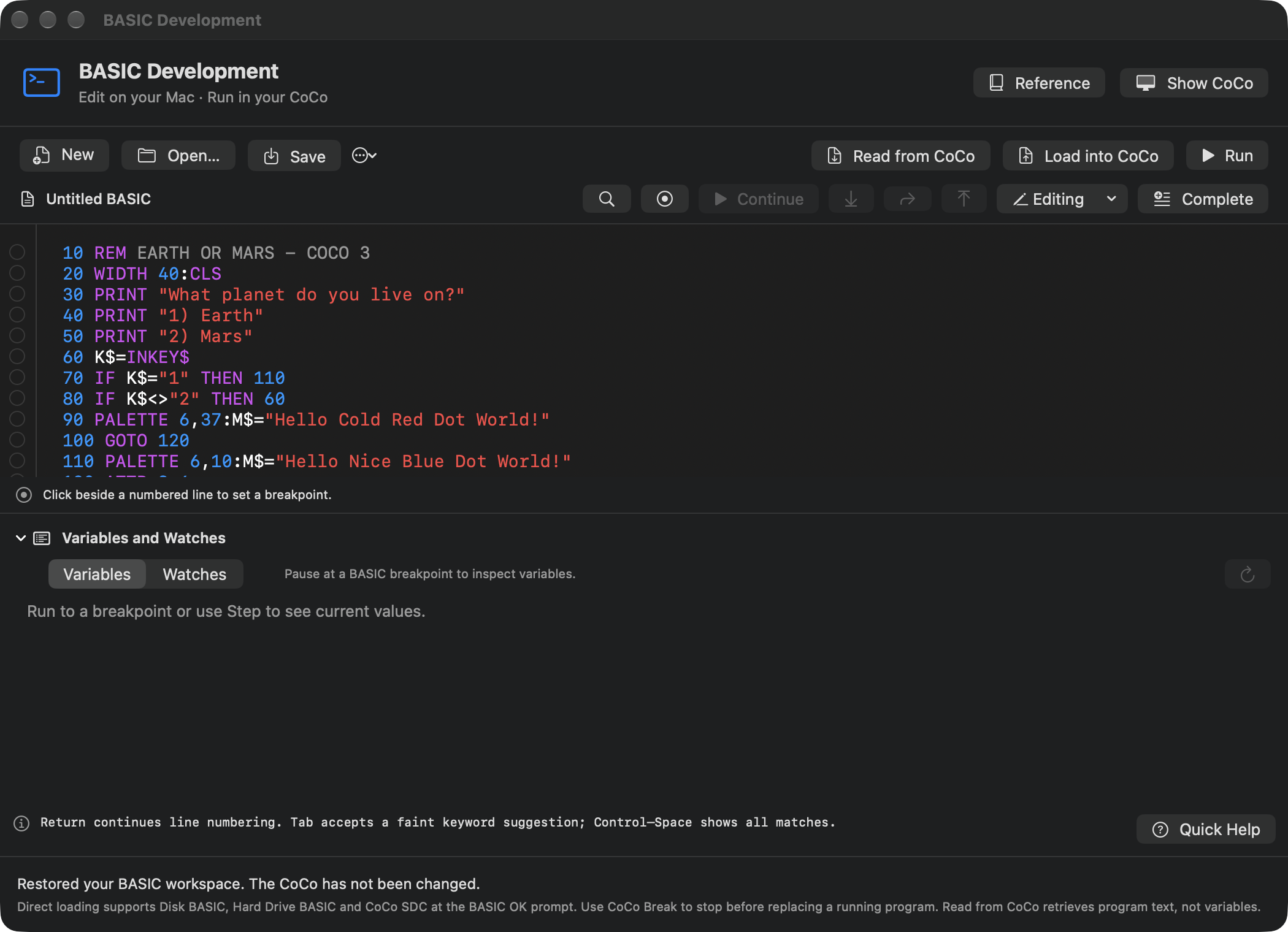
The illustrated System view, expanded monitor and conventional Display view are presentations of one live CoCo. Switching among them keeps the running program, sound and mounted media. BASIC, C and assembly workspaces send programs to that machine; they keep separate source documents. A disposable AI playtest, when explicitly enabled, is a separate guest.
Choose MC6809 or HD6309 and the memory a program expects. Use a profile to assemble a familiar Disk BASIC, hard-drive, SDC or NitrOS-9 setup. More memory, another processor and a different disk are meaningful hardware choices, and the app makes restart decisions explicit.
Interested in the engineering behind VCC Plus? Explore our technical papers on its architecture, correctness improvements, debugging services and MCP integration.
You can spend an afternoon playing a remembered game. You can write a two-line greeting with someone who has never seen BASIC. Or you can follow a C function into assembly, inspect the bytes that became pixels, and ask why a save file did not reopen. The twelve-book Manual Library supports that whole range, alongside historical material preserved by the Color Computer Archive.
Find your book · Explore the physical-CoCo companion · Read the project and component credits