
Chapter 6 of 6
A connection to another computer
You have used a shell inside the emulated CoCo. Your Mac has a shell too. VCC Plus can let an OS-9 terminal program talk to it, while keeping the two machines’ files and permissions distinct.
This chapter is optional. It needs no public server, account or internet service. Keep this first visit to identifying the host and leaving it.
Open the two gates
Start at the OS-9 shell. If you switched to Disk BASIC at the end of chapter 5, load Mission Lab, choose Run, and wait for /DD:.
Open Machine → Machine Settings… and find Enable DriveWire networking. The supplied NitrOS-9 system disk loads the required guest drivers during boot. For Mission Lab, turn the switch on if it is off. A personal profile does not turn on networking by itself. The built-in NitrOS-9 profile defaults to on, and VCC Plus honors your explicit choice across profiles.
That switch allows supported guest software to open outbound TCP connections. The Mac shell has a separate permission because it runs commands as your Mac user. Those commands can read or change real Mac files. The shell starts in your Mac home folder and uses your normal shell startup files.
Return to the CoCo, resume if paused, click its display, and type:
telnet macshell 2323The name macshell identifies VCC Plus’s guest-only connection. It does not publish a shell for other computers to connect to. A permission request appears in the Mac interface. Read it and choose Allow for this visit. You can choose Deny and skip the exercise instead.
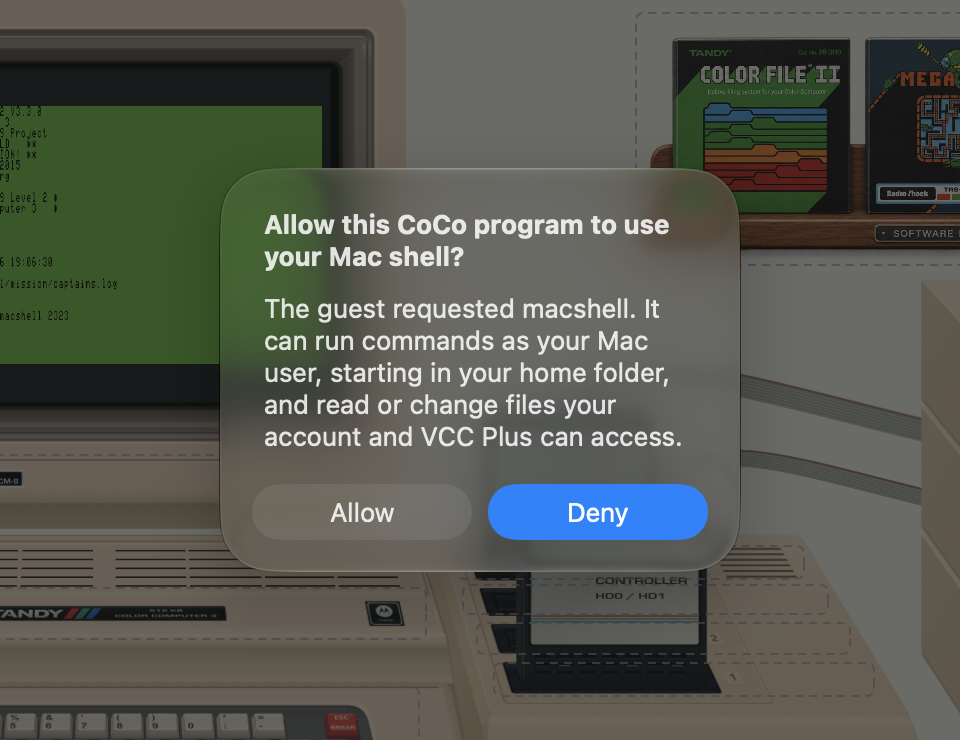
On the personal Mission Lab setup, Allow is for this connection. Only a recognized built-in NitrOS-9 setup can offer a remembered grant. That grant applies to guest programs using that setup. Machine Settings also offers Start Mac Shell Session to prepare one guest connection explicitly.
Ask which computer answered
At the new Mac shell prompt, type the following and press Return:
/usr/bin/unameThe reply includes Darwin, the name reported by the Mac’s underlying operating system. The prompt itself depends on your shell and startup files; it may look different from someone else’s. You are now issuing a Mac command through the CoCo’s terminal display.
The directory /h1/mission you used earlier belongs inside an emulated disk image. It is not the same as a directory in the Mac shell. Pause to read the prompt whenever you change connections. The same keyboard can be addressing a different filesystem.
For a second console or a graphics window inside the CoCo, see the OS-9 terminal lesson.
Close the connection
Type:
exitThe connection closes and the OS-9 prompt returns. If you need to end the session from the Mac side, use Stop Mac Shell Session in Machine Settings. Forget Mac Shell Permission removes a remembered grant. Turning networking off closes active connections too.
The short identification-and-exit sequence was checked on both guest processors. More elaborate terminal programs can depend on the guest client’s key handling and display capabilities. This quick start does not require an interactive Mac editor.
For the controls in one place, see Let OS-9 connect. For the commands and device names used throughout this book, turn to the field guide. You can now find a disk, make a file, recover it after a restart, and tell which computer is listening. Those are useful foundations for the deeper OS-9 journey ahead.