
Chapter 10 of 12
Keep a log past bedtime
The pilot knows where the ship landed. So does the variable in RAM. Tomorrow’s pilot gets a freshly started computer. How will that pilot find out where the ship went?
Give the ship its own disk
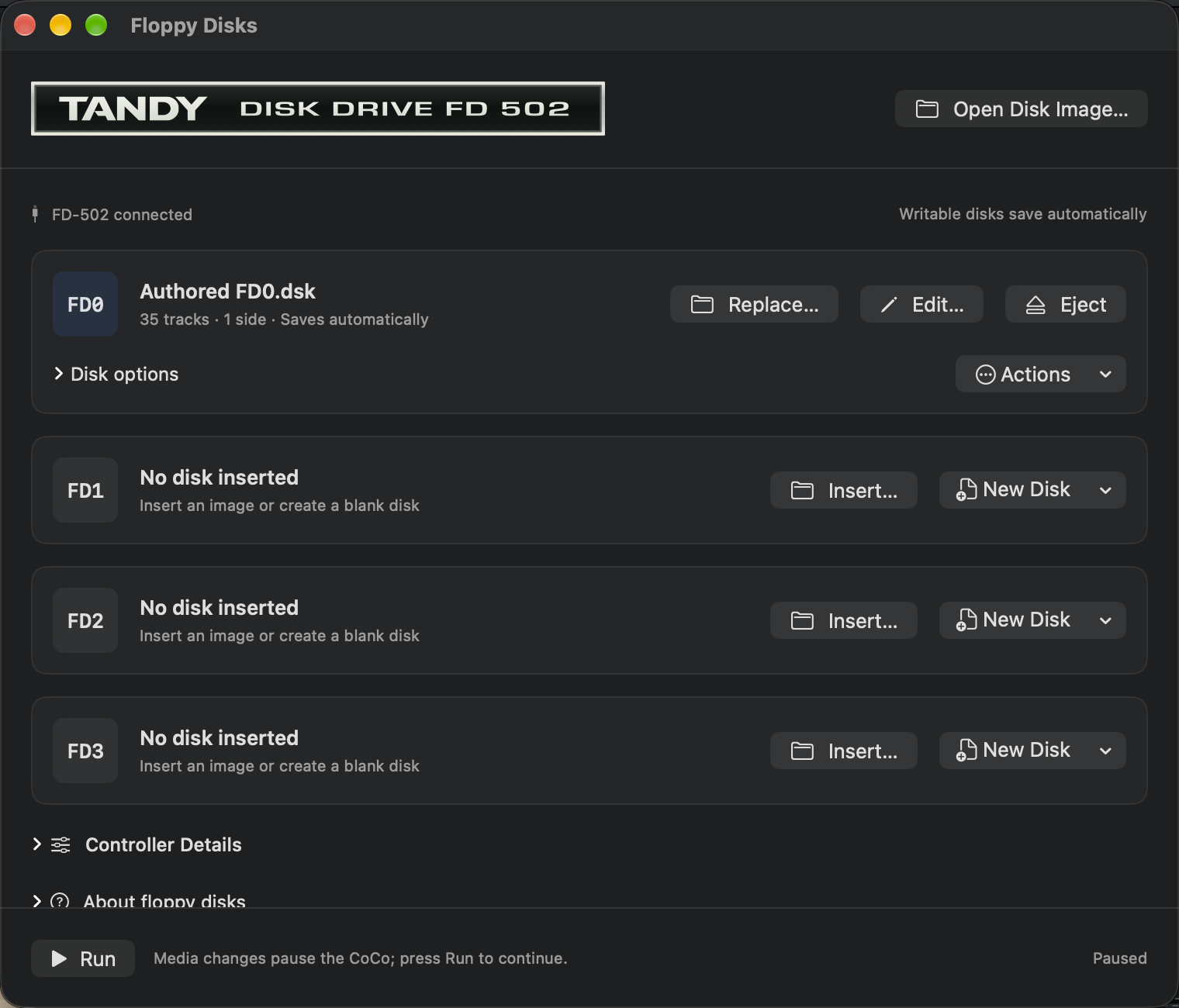
Use the Disk BASIC profile for this lesson. Save anything you want to keep before changing profiles or replacing the program in RAM. Open Media → Floppy Disks… and put a disposable, initialized floppy image in FD0. You can use New Disk in the drive actions or duplicate an initialized practice image in Finder. Keep the original somewhere else. Name the Mac working copy so that you will recognize it tomorrow.
Check the FD0 row. You want your working filename, write protection off, and Saves automatically. If the disk exists only in memory, use Save As… to give it a Mac file. If the machine is paused after the change, resume it. Back at the CoCo shows how to tell a Mac image from the CoCo files inside it.
| What you hold | Where it lives | What it contains |
|---|---|---|
| VOYAGE.bas | A Mac source file | Instructions you can read and edit |
| Your working .dsk | A file in Finder, mounted in FD0 | A whole emulated floppy, with room for many files |
| VOYAGE.DAT | A CoCo file inside that floppy | The destination and remaining supplies from the latest flight |
Write a voyage
Open VOYAGE.bas in BASIC Development and run it. Click the CoCo display. Enter 1 and press Return for Earth. When the chart says PRESS A KEY TO LAND, tap A. Wait for LOG SAVED FOR EARTH and the BASIC prompt. Here is what happened after the landing jingle.
200 OPEN "O",#1,"VOYAGE.DAT:0"
210 WRITE #1,P$(D),S
220 CLOSE #1
230 RETURN
Line 200 opens a door between BASIC and a file. The O stands for output. VOYAGE.DAT is the name on the CoCo floppy, and :0 selects drive zero. #1 is a file number that this program can use while that door is open. The file number and drive number have different jobs.
Line 210 writes two items in order: a destination string and the number of supplies. WRITE includes the separators that another BASIC program will need to read the values. Line 220 closes the file and lets Disk BASIC finish its bookkeeping. Line 230 returns to the caller. Only after all that does the ship print its success message. Opening this file for output again replaces the previous voyage; keep this experiment on its own disk.
Hand the log to a second program
Leave FD0 in place. Open LOGBOOK.bas in BASIC Development and run it. Where did the word EARTH come from? Look at the entire reader. You will find no planet names in its source.
10 WIDTH 80:CLS
20 OPEN "I",#1,"VOYAGE.DAT:0"
30 INPUT #1,P$,S
40 CLOSE #1
50 LOCATE 0,1:PRINT "FLIGHT LOG";
60 LOCATE 48,1:PRINT "SUPPLIES LEFT";
70 LOCATE 0,2:PRINT P$;
80 LOCATE 48,2:PRINT S
90 END
The I on line 20 stands for input. Line 30 asks for the same two items in the same order in which the writer stored them. The dollar sign on P$ tells BASIC to receive a string. S receives a number. Then the reader closes the file and lays out its report. On this run the result is EARTH with 4 supplies left.
Try a missing log. On a different, empty initialized disk, LOGBOOK reports ?NE ERROR IN 20. It reached the command to open the input file, but that disk has no file by the requested name. Put your voyage disk back in FD0 before running the reader again. If the BASIC workspace stopped at the error, choose Continue to return to the prompt first. Keep the disk with the good log; you do not need to create a blank VOYAGE.DAT to fix this.
Open locker two before locker one
A flight log can be read from the beginning. What if your ship has numbered lockers and you need the contents of locker two right now? Try LOCKERS.bas on the same disposable disk. It creates or updates a separate file called LOCKERS.DAT. The output names Mars first, then Earth.
10 WIDTH 40:CLS
20 OPEN "D",#1,"LOCKERS.DAT:0",8
30 FIELD #1,8 AS N$
40 LSET N$="EARTH":PUT #1,1
50 LSET N$="MARS":PUT #1,2
60 GET #1,2:PRINT "LOCKER TWO: ";N$
70 GET #1,1:PRINT "LOCKER ONE: ";N$
80 CLOSE #1
D opens a direct-access file. Each record has eight character places. FIELD gives those places a name in the working buffer. LSET puts a name at the left of that space. PUT sends the buffer to a particular numbered record on disk. Line 50 writes Mars to record 2. Line 60 fetches that record immediately, and line 70 goes back to fetch record 1. Disk BASIC can do those reads in the order you request.
Imagine needing 80 lockers. The fixed record length would let the system find the start of locker 80 without reading the text in the first 79. Compare that with the tiny shared log: its two items always travel together, so sequential input is enough for the job.
Read a magazine’s address book program
Bob Devries used random-access records for names and addresses in Mini Data Base. Open Help → Archive Library…, browse Magazines → Coco Nutz! Newsletter → 2005, and open the January issue. The article and listing begin on PDF page 10. Enter 13 in the reader’s page field and press Return. This page ends Mini Data Base and starts Richard Kelly’s Pill.
Above the scan, choose Examples on this page → Mini Data Base → Open in BASIC Editor. You now have an editable copy of the complete numbered program from the publisher’s companion ZIP. Find line 1070. Its FIELD statement divides a 100-character record among the parts of an address, where LOCKERS gave all eight characters to a single name. Opening the example leaves the program in the CoCo alone. Copy Example in the same menu puts the listing on the Mac clipboard.