
Chapter 7 of 12
Design a flight deck
You have one screen and two jobs for it. At takeoff the pilot needs a short question and two big choices. After landing the crew wants to compare a name at the left with a number farther across the page. Should both screens have the same number of columns?
Walk across three screens
Open CONSOLE.bas in BASIC Development and click Run. Click the CoCo display. Start with your hands off the keys. Count how many times the same Mac window changes before you get back to the helm.
- The first screen says 32 COLUMNS. Tap and release A.
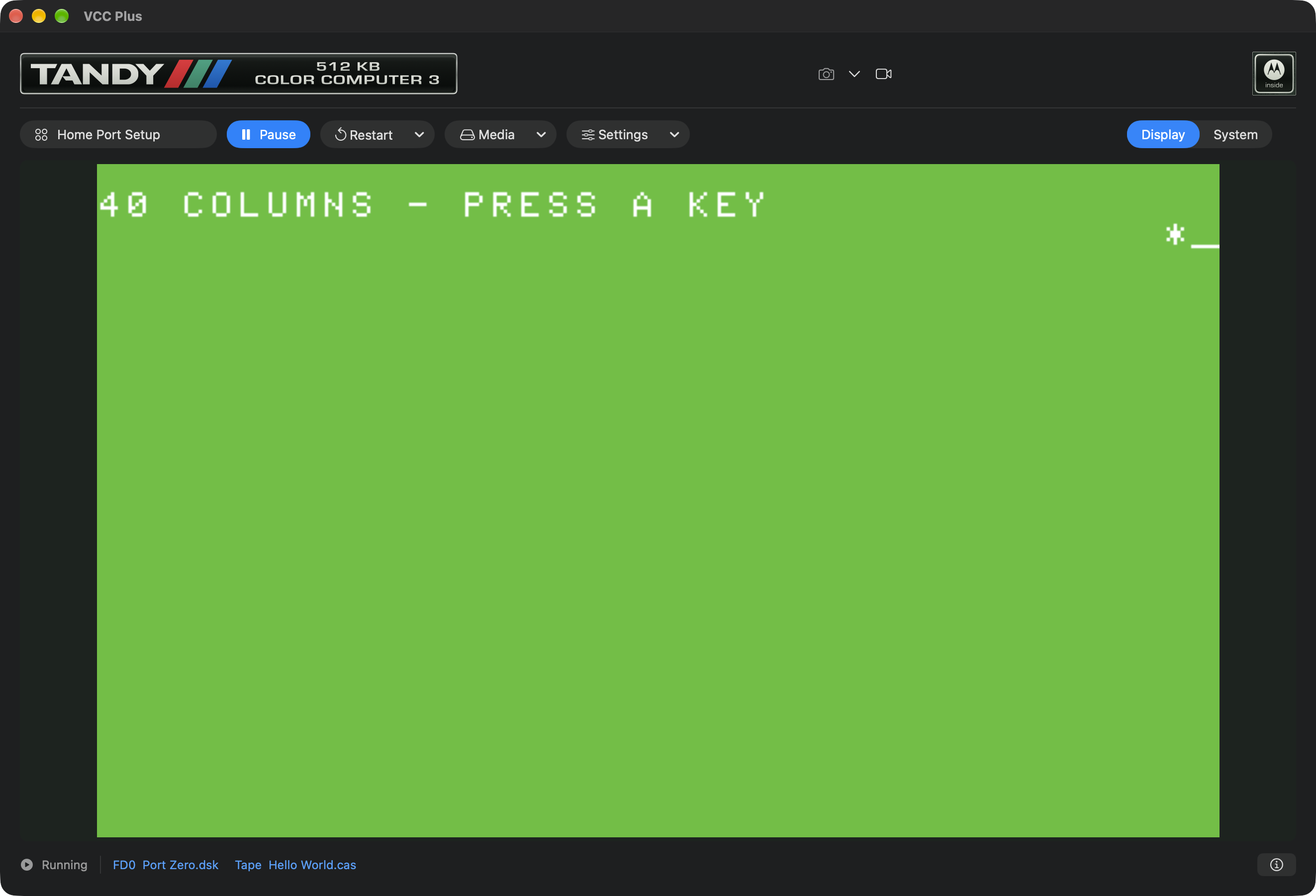
- The second says 40 COLUMNS. Look for a star almost at the right edge. Tap A again.
- The third says 80 COLUMNS. Find SUPPLIES LEFT and the number below it. Tap A once more. BACK AT THE HELM puts you back in 40 columns.
The 32-column screen will look familiar to someone who used an early CoCo. The CoCo 3 adds 40- and 80-column text screens. BASIC changes how many character cells fit across the picture. Dragging the corner of the Mac window scales the picture you already have. Only one of those actions gives your program a column 48 to write in.
Put one star where you want it
30 WIDTH 40:CLS:ATTR 3,0
40 LOCATE 0,1:PRINT "40 COLUMNS - PRESS A KEY";
50 LOCATE 38,2:PRINT "*";
60 IF INKEY$="" THEN 60
Think of a sheet of graph paper. CoCo 3 text coordinates count columns from the left and rows from the top. The first cell is column zero, row zero. In a 40-column row, the last column is 39. That puts the star at column 38 one cell in from the right. Row 2 is the third row down.
Read line 30 left to right. Select 40 columns, clear the screen, then choose the foreground and background attributes for the text to come. Line 40 moves the cursor and prints the instruction. The semicolon after the quoted text leaves the cursor on the same row. The colon between two instructions lets BASIC do them in order on a single numbered line.
Why does the star stay put? At line 60 the program checks for a keystroke over and over. It can spend a long time on one line without drawing another star. You decide when it moves on.
Make the cargo count easy to find
70 WIDTH 80:CLS
80 LOCATE 0,1:PRINT "80 COLUMNS";
90 LOCATE 48,1:PRINT "SUPPLIES LEFT";
100 LOCATE 0,2:PRINT "PRESS A KEY";
110 LOCATE 48,2:PRINT USING "##";6
120 IF INKEY$="" THEN 120
130 ATTR 0,1:WIDTH 40:CLS:PRINT "BACK AT THE HELM"
Follow the two instructions that start at column 48. The heading lands there on row 1. The number lands underneath on row 2. PRINT USING supplies a little printing pattern: the two number signs set aside two character places for the number six. The unused place at the left gives the digit some breathing room. Labels and numbers can line up even when a name on the left has a different length.
The actual flight reader, LOGBOOK.bas, uses the same two columns. It gets its values from a file. We will make that file in Keep a log past bedtime. For now CONSOLE gives you a rehearsal with a number already aboard.
Design decision. Would you put a two-choice landing question in 80 columns? You could, but the pilot would be reading smaller letters to make the same choice. Use the 40-column deck for the question and save the extra room for the report.