
Chapter 5 of 7
Send tomorrow a message
Suppose someone comes to Moon Base tomorrow and wants to hear your beacon. Can you bring the message back after you empty BASIC's working memory?
Make a disk for Moon Base
A disk image is a Mac file that holds the contents of a whole CoCo disk. We'll copy the starter disk. It already has space prepared for BASIC files and a program called HELLO. Choose a fresh filename so you can recognize your disk tomorrow.
- In your Disk BASIC practice session, choose Media → Floppy Disks…. Find FD0 and check that it holds the starter disk from chapter 4. If you see a personal disk there, return to your practice setup before continuing.
- In FD0 choose Actions → Save As…. Choose an easy-to-find folder and enter a fresh Mac filename such as
Moon Base.dsk. If that name already exists, choose an unused one. Keep a note of the folder and name. - Read FD0 again. Look for your new filename and Saves automatically. If the new copy says Temporary changes or Write protected, open Disk options in its row and turn off that setting on your copy. Wait for any save to finish. Resolve any save error before continuing.
- Return to the main window. If the CoCo is paused, choose its Run. Click the display or press Option-Command-K to type at the CoCo.
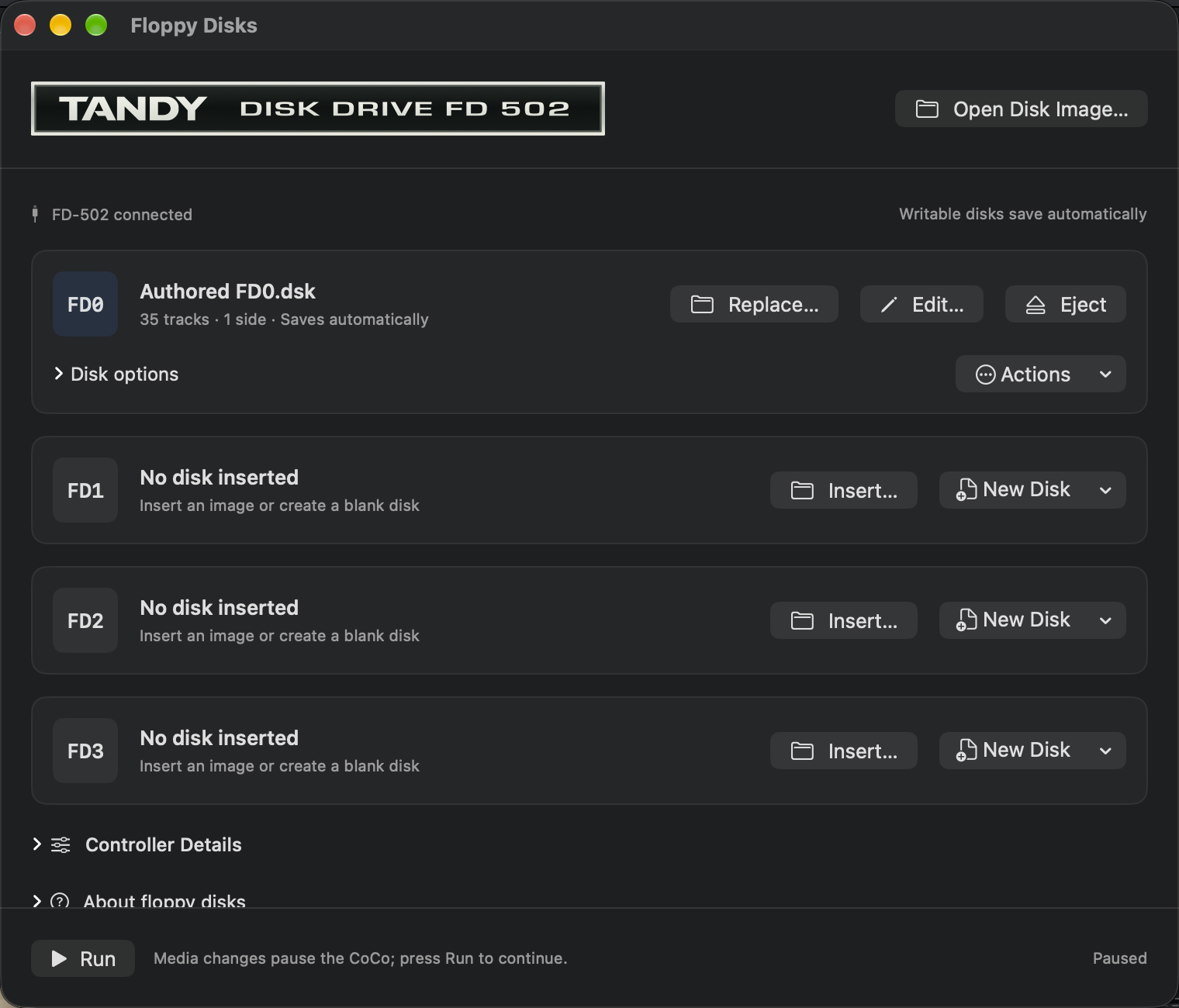
To use these controls from the keyboard, Input → Focus Mac Controls (Option-Command-U) takes you out of the display. Tab and Shift-Tab move between Mac controls, and Space operates a focused button. If Tab skips buttons, turn on Keyboard navigation in System Settings → Keyboard.
Rebuild the beacon and save it
At
OK, typeNEWand press Return. This clears the planet program from BASIC's working memory.Enter both numbered lines below, pressing Return after each one. Include the new snack request from chapter 3.
10 PRINT "THIS IS MOON BASE."
20 PRINT "SEND SNACKS!"
Type
RUNand press Return. Check both lines of the message. If one needs a fix, retype its whole numbered line and run it again.At
OK, typeSAVE"BEACON"and press Return. Wait forOK. This tells Disk BASIC to store the program on the disk in FD0.Type
DIRand press Return. This asks the disk for its directory, the list of files it holds. FindBEACONwithBASbeside it. You should also seeHELLO. Check the FD0 row for a completed save before clearing RAM.
If BASIC says ?WP ERROR, the disk is write protected. Your two lines are still in RAM. Check the filename on FD0, open Disk options on your practice copy and turn off Write protected. If the switch is unavailable, use Actions → Save As… to make a fresh copy in your own folder. When the save finishes, use FD0’s Replace… to open that new file. Turn off Write protected on the new copy if needed. When FD0 says Saves automatically, choose Run if paused and press Option-Command-K. Repeat the save and directory steps. For a Mac save error, resolve it using Retry Save or Save As… before going on.
Empty RAM and bring the message back
- At
OK, typeNEWand press Return. TypeLISTand press Return. The nextOKappears with no numbered lines from that listing. Where could the two lines still be? - Type
LOAD"BEACON"and press Return. Wait forOK. BASIC has copied the program from disk into RAM. - Type
RUNand press Return. Check the reply.
THIS IS MOON BASE.
SEND SNACKS!
OK
Point to the three places involved. RAM holds the lines BASIC can run right now. BEACON is the name you look up with DIR on the CoCo disk. Moon Base.dsk is the file you'd look for in your Mac folder to find the whole disk again. Keep that disk in FD0 for your quiz. To see the same distinction with another program, find CARGO inside its disk image.
The editor's Save in chapter 4 wrote readable BASIC text to a Mac document. Here you typed SAVE"BEACON" at the CoCo prompt, so BEACON appears inside the disk image alongside HELLO.
For the disk commands and write-protection error, see Color Computer Disk BASIC Quick Reference Guide (InterTAN Canada Ltd., 1987), pp. 3–9.