
Chapter 2 of 9
Give the CoCo its colors
Why does just the greeting change color while the next line returns to green? One call chooses how to draw the next letters. A second call chooses the color assigned to a palette slot. Earth and Mars share a slot, even though their colors differ.
Find the two numbers
    attr(3, 6, FALSE, FALSE);  /* White text on background slot 6. */
    if (choice == '1')
    {
        palette(6, 10);  /* Blue */
        printf("Hello Nice Blue Dot World!\n");
    }
    else
    {
        palette(6, 37);  /* Red */
        printf("Hello Cold Red Dot World!\n");
    }
    attr(0, 0, FALSE, FALSE);  /* Back to BASIC's usual colors. */
The starter is already in 40-column mode when it reaches this code. In attr(3, 6, FALSE, FALSE), the first two arguments select the foreground and background for subsequent printing. Here the foreground gives light lettering. Six chooses a background slot. The two FALSE arguments leave blink and underline off.
Now follow slot 6 through the branches. Choosing Earth stores color value 10 in that slot. Choosing Mars stores 37 there. Whichever branch you take, the letters are printed with the same text attributes, and their background uses the value currently in slot 6. The CoCo 3 has sixteen palette slots, numbered 0–15. Each slot can hold one of 64 color codes, numbered 0–63. The text mode allows a smaller selection of foreground and background indices for each character.
| What you change | What to watch |
|---|---|
| The background argument of attr | Which slot subsequent lettering asks to use |
| The color argument of palette | The visible color wherever that slot is used |
| The final attr call | The attributes BASIC inherits for printing its prompt |
Notice the last line of the listing. The starter returns the printing attributes to their usual settings. It leaves the chosen value in palette slot 6. Earlier lettering using that slot can still show the color when the OK prompt appears below it.
Compare two monitor signals
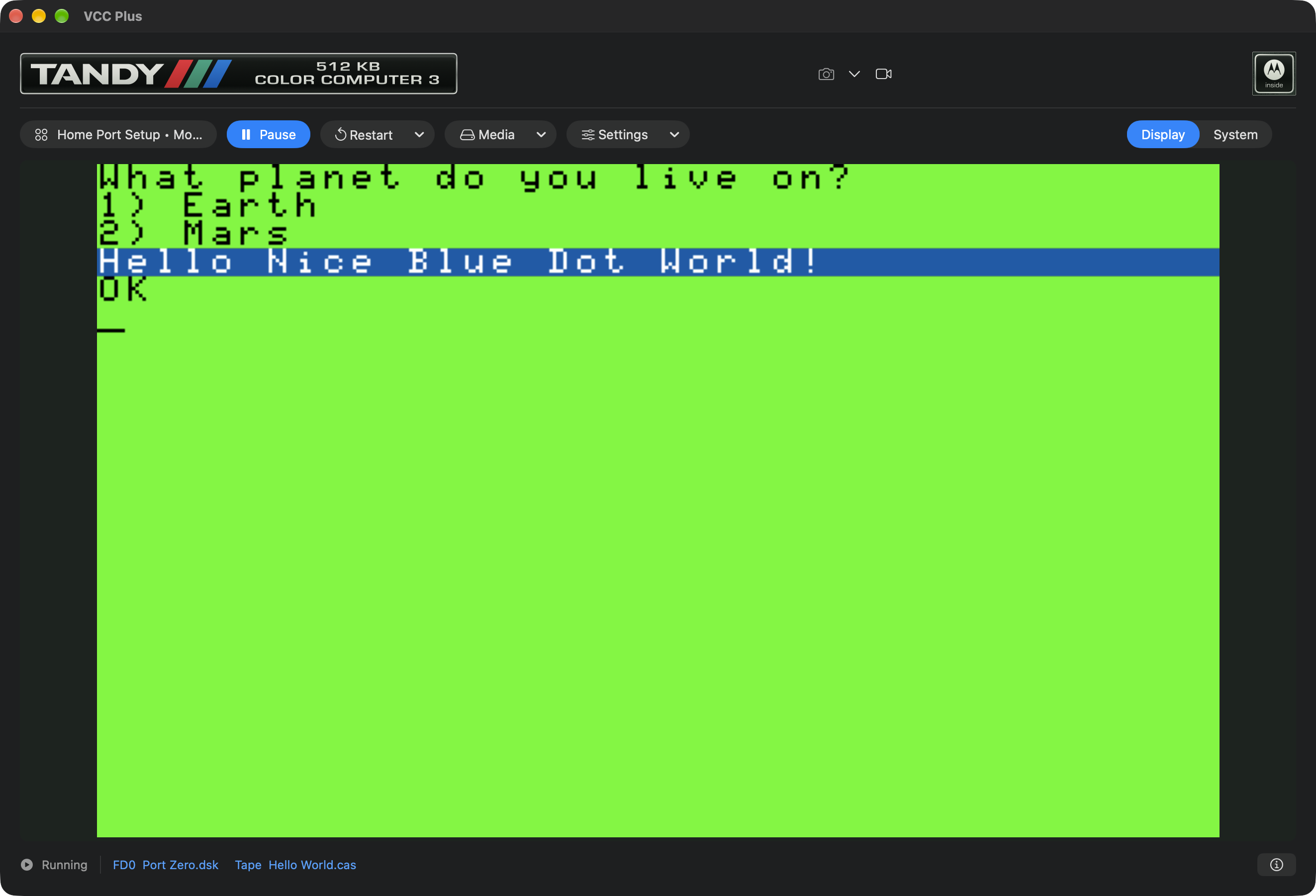
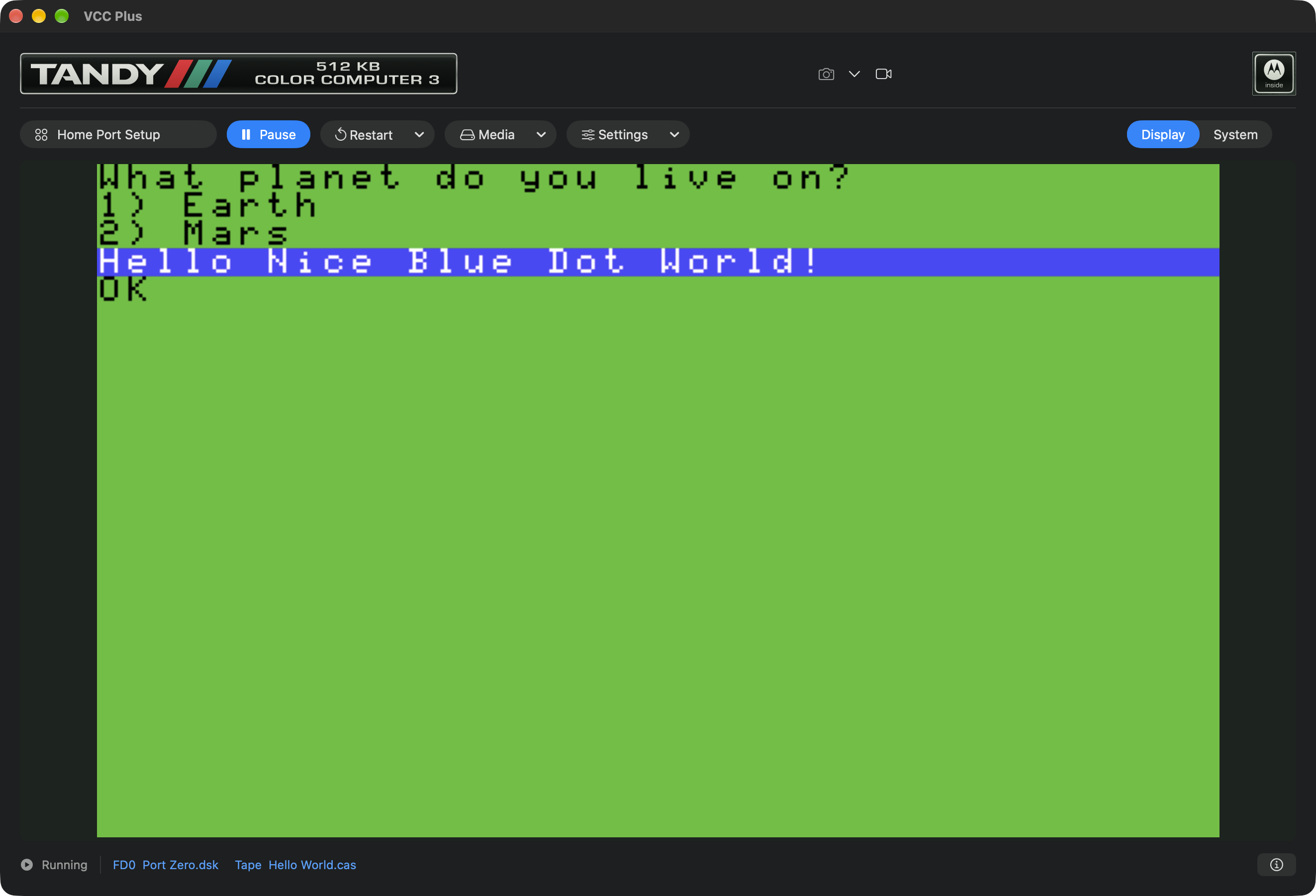
Select Display → RGB Monitor in VCC Plus. Run TwoWorlds and press 1. Then choose Display → Composite TV, run the same build and press 1 again. You can compare the two real runs below. Keep an eye on the whole screen, including its usual green. Both runs reached the same branch and printed the same letters. The monitor’s interpretation of the video signal changed the shades you saw.
Give Mars Earth’s blue
- Make a separate Hello World project for this experiment. In main.c, place the insertion point inside the argument list of
palette(6, 37). To see what the second argument means, request Show Parameter Hints beside the editor or press Control–Shift–Space. The declaration identifies slot and color. You can also put the caret in the name palette and use Control–Command–J to open its declaration in the read-only coco.h header. Use Back to return. - In the Mars branch change only 37 to 10. Leave the greeting and the slot alone. Save, build, run with RGB Monitor, and press 2. You should read Hello Cold Red Dot World! against the blue used for Earth. Its words and color come from different instructions.
- Change 10 back to 37 in that branch, save and rebuild. Choose the monitor signal you normally use.
A compiler can accept both versions. Which version tells the story you meant to tell? That question belongs to the person running the program. In the next experiment the words will stay the same while one changed number alters the total.