Engineering appendix
Inside CoCoMan
Press Jump on the launch rail. One instant the pilot’s boots are on the tread. In the next picture they have lifted, and the stretch of rail they covered looks whole again. Two drawings and a small patch of saved background make that possible.
From a button to a picture
The MC6809 reads the held controls and updates the flight. The renderer paints the new pilot position into a bitmap in memory. While the CPU prepares that picture, the CoCo 3’s GIME is displaying another one. A completed picture can be selected for display.
Each display page remembers its own camera position and the pixels previously covered by its moving objects. When the renderer uses that page again, it restores those pixels, repairs the visible terrain and draws the actors. The previous boot position disappears as the new one appears.
The game can read a button while the previous picture is still on screen. In the recorded Rigger encounter, nine video fields pass between the button press and the first picture with the pilot’s boots off the ground.
What stays on the boot disk?
A course and a flight record answer different questions. The course resource supplies the terrain and rules for a destination. The saved flight remembers your progress there. A single-drive player may therefore see two different disk requests while returning to one place.
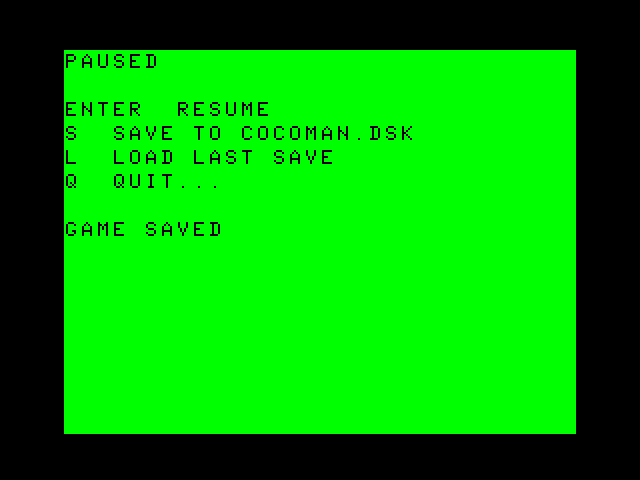
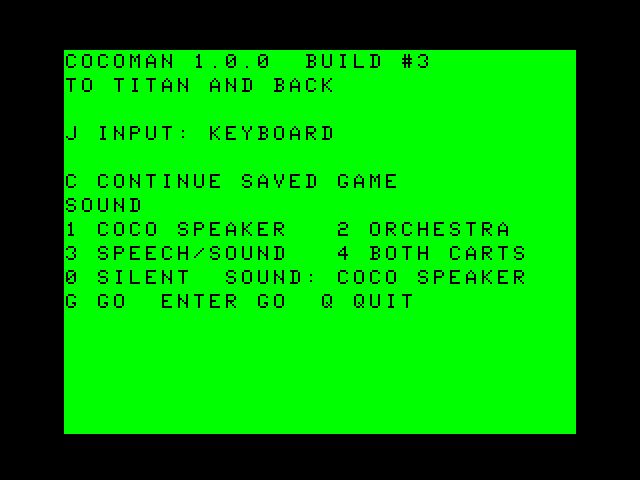
In the single-drive Release check, the pilot saved in World 6, moved away and loaded the flight. Both the manual Load and a cold Continue restored the saved position, suit, score, lives and foils. Follow the recorded disk exchanges.
The build uses 31 stage resources for 32 courses. The catalog chooses a disk and the machine’s memory-mapping hardware lets the loader bring the needed data into a 64 KB CPU address space backed by 512 KB of RAM. That is why a course can change while your flight carries on.
Edition and credits
CoCoMan 1.0.0 Build #3, Release edition 9c1c5fc457a84323. Player guide revision 1. Game, original artwork and player material © 2026 Brian K. Holman. The quick reference is Brian’s two-page four-disk edition.
The disks use CMOC runtime support by Pierre Sarrazin and Speech/Sound library modules from VCC Plus. The DOS boot helper adapts Pierre Sarrazin’s public-domain autostart.c, which credits Roger Schrag’s 1984 article “A Special Use For The DOS Command.” The printable guide uses embedded subsets of Arial, Arial Bold, Arial Italic and Arial Black, © 2006 The Monotype Corporation. Arial is a trademark of The Monotype Corporation.