Quick Start
Start a flight
Eight stations have sent JUNO the same all-clear. Take the courier’s controls at the Earth launch rail and find out who is answering.
Make a boot copy you can keep
Download the four-disk CoCoMan ZIP and extract it. Store the originals together and make a writable copy of COCOMAN.DSK for this flight. Your preferences and saves live on that copy. Each disk is a standard 35-track image.
One drive
Boot from the writable copy. When the game displays a filename and a drive, exchange the disk there and press Enter. Keep the boot copy beside you.
Two or four drives
Keep the boot disk in FD0. With two drives, put the data disk for your destination in FD1. With four, use the layout above. The game checks drives above the boot drive for the first matching volume.
For a CoCo SDC, keep the four filenames as supplied and use an 8.3-compatible folder such as COCOMAN. Swap using your drive, SDC or emulator controls at a disk request or at the BASIC prompt.
From BASIC to the title
- Use a Color Computer 3 with 512 KB, a stock MC6809, Disk Extended Color BASIC and at least one drive. In VCC Plus set CPU overclock to 1×, Fast-forward off and display to Every frame.
- Mount the boot copy in FD0. At the Disk BASIC OK prompt type
DOSand press Enter. - On the green setup screen, press J to switch between keyboard and right-port joystick. Choose a sound setting below. A fresh disk starts with keyboard and speaker.
- Press G or Enter to start a new flight. These choices are saved to the writable boot disk. Where offered, C continues the last saved flight. Starting a new flight leaves an existing save available until you replace it.
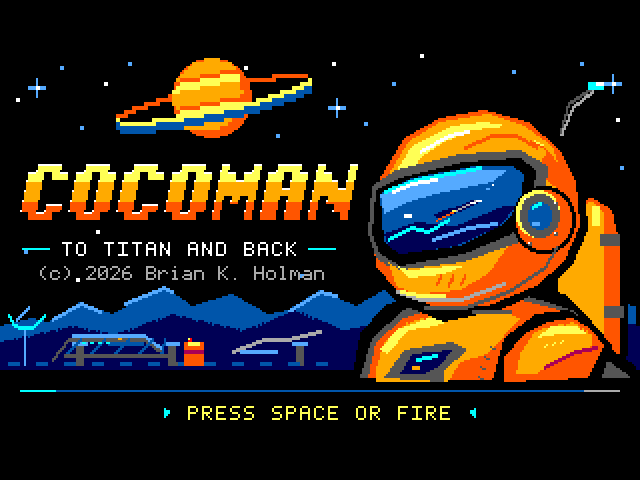
- At the illustrated title, wait for the start prompt. Release any button held during the opening. Press and release Space or either button on the right joystick.
Loading from another drive
You can also start from BASIC by loading the program explicitly. With the boot disk in FD0, type the first line, wait for OK, then enter the second.
LOADM"COCOMAN:0"
EXEC
For another drive, replace 0 with its number. The game remembers the boot drive. Starting from FD3 means all requested exchanges take place in FD3.
Choose what you hear
- 0 Silent
- The visual cues still work.
- 1 CoCo speaker
- Use the computer’s mono effects and dispatch cues.
- 2 Orchestra-90
- Hear the stereo effects and relay duet through the Orchestra-90 outputs.
- 3 Speech/Sound
- Hear JUNO’s short calls through the cartridge and effects on the shared sound path.
- 4 Both cartridges
- Use Orchestra stereo and Speech/Sound crew calls together.
Choose a cartridge setting when the corresponding device is available. The number changes the selection and leaves you on setup. Go, Continue and Quit save changed input and sound choices to your writable boot disk. If setup reports a problem, see COCOMAN.DSK SETTINGS NOT SAVED.
Make the first jump
Look for the courier’s square boots on the launch rail. Take a few steps to the right. Tap Jump and let go. When both boots come down, try again and hold Jump through the rise. The second takeoff carries you higher.
Keyboard
Right walks. Z jumps. Keep steering during the rise and let the boots settle before your next press.
Right joystick
Push right to walk. Press primary for Jump. Center the stick once the landing is under you.
For a first cargo pickup, jump beneath an overhead supply box. Watch the pressure capsule roll along the ledge and drop. Meet it on the ground to see the taller suit and a 1,000-point increase. Watch the first flight and pickup.
When a wider gap calls for more speed, try the running jump lesson. To keep this landing for later, press Enter to pause, then follow Save your flight.